
Documentation
Print This page
Home Doc Getting Started How to Install PRO via WordPress Dashboard?
How to Install PRO via WordPress Dashboard?
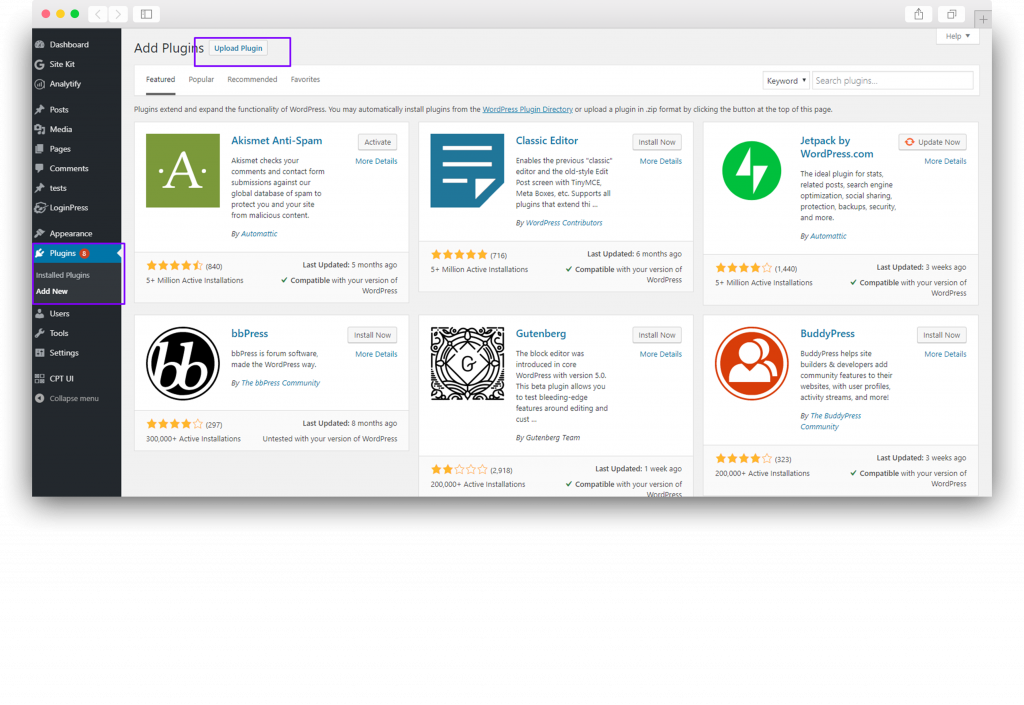
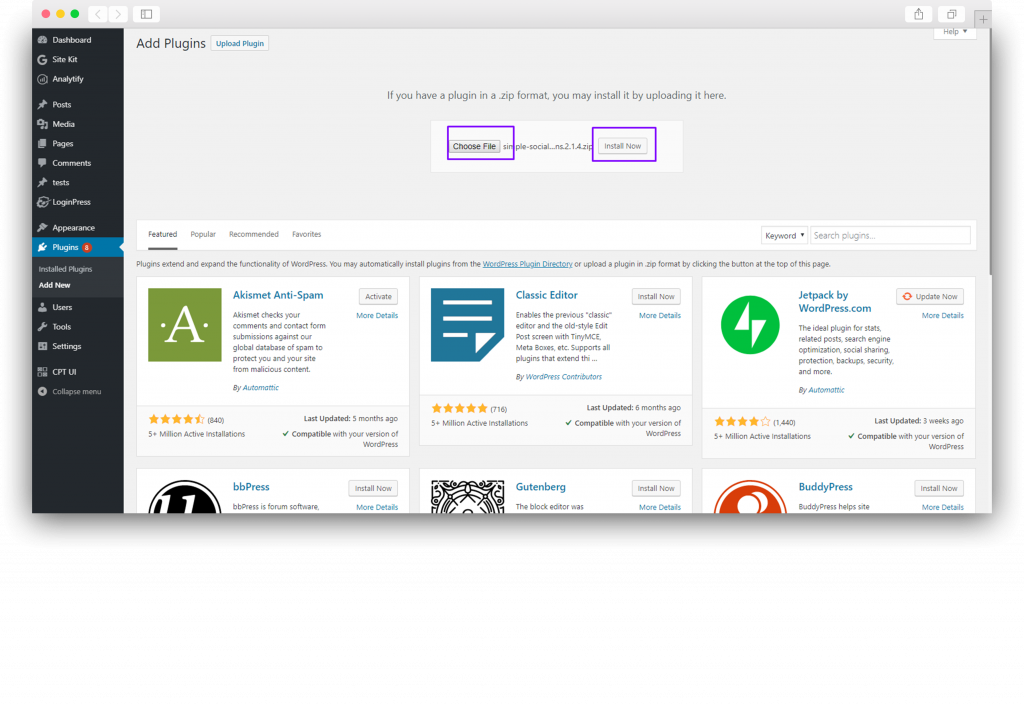
- Navigate to Plugins → Add New → Upload File and choose the file that you just downloaded from WPBrigade in our case file name is simple-social-buttons-pro.zip.
- Click on install and Activate.
Still stuck? How can we help?
Updated on
May 11, 2026