
Documentation
Print This page
Home Doc Getting Started How to Install SSB via WordPress Dashboard?
How to Install SSB via WordPress Dashboard?
- Login to the admin panel of WordPress
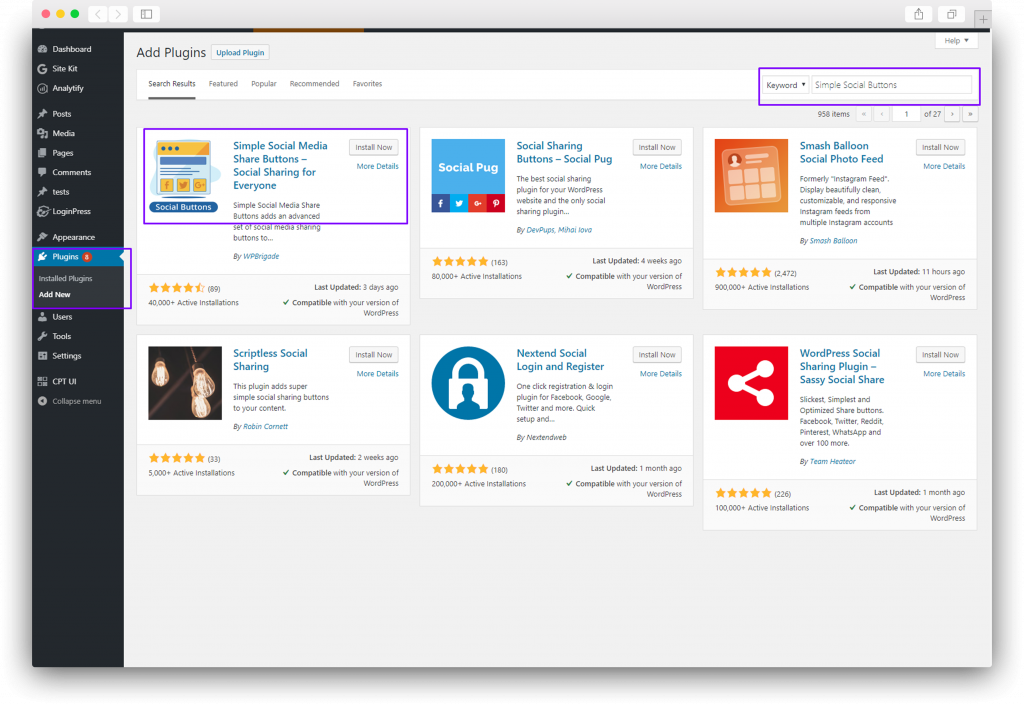
- Navigate to Plugins → Add New and type Simple Social Buttons in the search bar. Click Install. Once installed, click Activate.
Learn more about what’s included in Simple Social Buttons Lite.
Still stuck? How can we help?
Updated on
April 10, 2026