
Home Doc Advanced Settings Understanding Share Counts in Simple Social Buttons
Understanding Share Counts in Simple Social Buttons
When your visitors see share counts next to a social button, those numbers are made up of two distinct sources working together. Simple Social Buttons combines platform-reported share data with its own internal click tracking to give you the most complete picture possible, even for networks that no longer publish public counts.
This documentation explains where each type of count comes from, how they are combined, and what to expect if a count appears to be delayed or unchanged.
Where Do the Share Counts Numbers Come From?
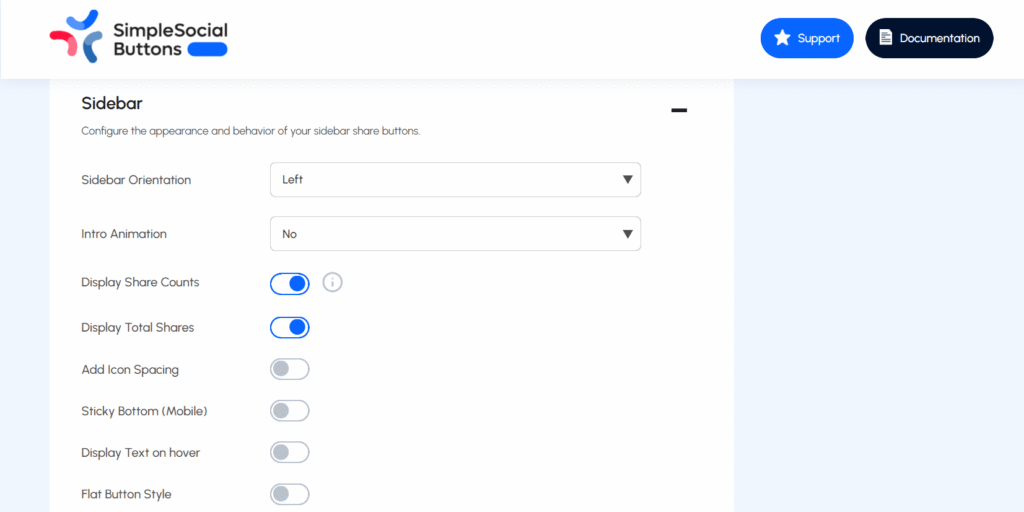
Part 1: API Counts (Platform-Reported Shares)
For social networks that still make their share data publicly available, Simple Social Buttons fetches the count directly from the platform’s API. Currently, networks in this category include Facebook, Tumblr, and LINE.
Once retrieved, these counts are cached locally, so your site does not make a live API request on every page load. The cache refreshes automatically based on how recently the post was published:

| Post Age | Refresh Frequency | Why This Interval |
|---|---|---|
| New post (recent) | Roughly every hour | New content tends to be shared most actively |
| Up to 60 days old | Every 4 hours | Sharing activity typically slows after the first few days |
| Older than 60 days | Every 12 hours | Long-tail content changes infrequently |
This adaptive caching strategy keeps your site fast while still reflecting meaningful changes in the share count over time.
Part 2: Internal Click Counts (Button Clicks on Your Site)
Many major social networks, including Twitter/X, LinkedIn, WhatsApp, and Pinterest, stopped publishing public share counts some time ago. For these platforms, Simple Social Buttons tracks how many times a visitor clicks the specific share button on your site.
Important: This is not the platform’s total global share. It is a count of button clicks recorded on your website. A visitor clicking the Twitter/X share button on your post increments this count by one, regardless of whether they actually completed the share on Twitter/X’s side.
This approach gives you a meaningful signal for platforms that would otherwise show nothing at all.
Part 3: The Combined Total
The share count your visitors see is simply the sum of both sources: the platform’s API count (where available) plus the internal click count recorded by Simple Social Buttons.
Note: These two figures measure different things and are never the same click counted twice. A Facebook share counted via the API and a Facebook button click counted internally are independent data points; SSB adds them to give you the most complete total it can.
Why Is My Count Delayed?
Internal click counts are not written to your posts instantly. They are saved in a queue first, and that queue is flushed to your posts on a regular schedule, every two hours by default.
This means a share that just happened may not appear in the displayed count straight away. This is expected behavior, not an error.
If you need the count to update sooner, go to your WordPress admin bar, navigate to Simple Social Buttons, and select Purge Caches. This forces any pending clicks in the queue to be merged into your saved count immediately.
Does “Purge Caches” Delete My Existing Counts?
No, purging caches does not wipe your data. Pending internal click counts held in the queue are merged into your existing saved totals, so no clicks are lost.
Cached API counts are re-fetched from the platform and updated to reflect the latest available data, they do not reset to zero. Think of it as a forced sync rather than a reset.
If you are wondering, “why does a button show zero even though I know it has been shared?”
There are a couple of common reasons. If the network in question no longer publishes public share counts, Simple Social Buttons can only report internal button clicks, so the count starts at zero and grows from the first click recorded on your site. If you recently installed or updated the plugin, historical click data from before the installation would not be available.
Do API Counts and Internal Counts Conflict?
No, the two systems are completely independent. API counts come from the social platform and reflect shares reported by that platform. Internal counts reflect button interactions recorded by Simple Social Buttons on your site.
They measure different aspects of the same activity, and adding them together gives a broader picture than either source alone.
Still Have Questions?
If you encounter unexpected behavior or a count that doesn’t seem right, our support team is ready to help. Visit our support to get in touch, or check the WordPress.org support forums for community answers.